iOS 26: Standard-Apps für Dateitypen in der Dateien-App festlegen – inklusive „Quick Look“
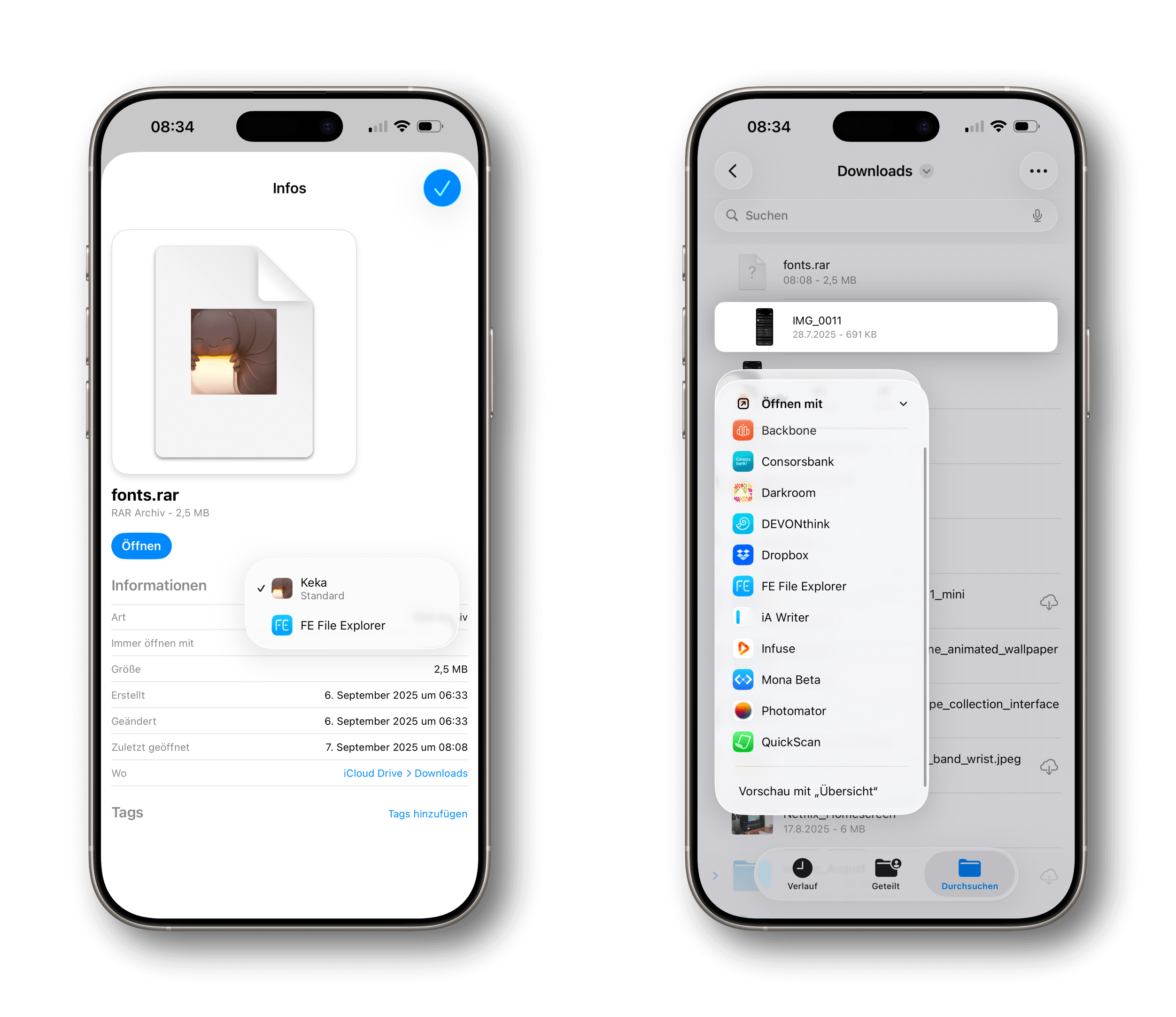
Unter „Informationen“ im Kontextmenü bestimmt ihr etwa für RAR-Dateien, dass diese immer mit Keka aufspringen.
Über den Menüpunkt „Öffnen mit“ lässt sich zudem „Quick Look“ als Standard für die Vorschau von Bildern oder PDFs auswählen.
Dieser Inhalt ist nur für Gold-Mitglieder verfügbar. Jetzt abonnieren!